


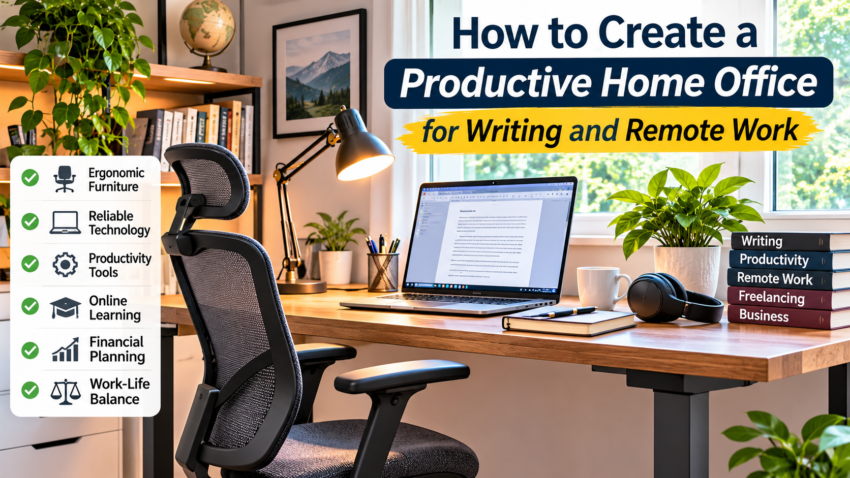
Working from home offers flexibility, independence, and the opportunity to create a professional environment that matches your personal preferences. However, without a properly organized workspace, maintaining concentration, creativity, and consistent productivity can become challenging.
Whether you are a freelance writer, blogger, author, entrepreneur, or remote employee, your home office can significantly influence the quality of your work.
A productive home office is not simply about purchasing expensive furniture or the latest technology. It involves combining comfortable equipment, effective productivity tools, healthy working habits, and thoughtful financial decisions.
From choosing an ergonomic office chair to investing in reliable writing software, small improvements can make a meaningful difference in your daily routine.
This comprehensive guide explains how to create a productive home office that supports creativity, professional development, and long-term career success.
1. Choose the Right Location for Your Home Office
The first step in creating a productive workspace is selecting a suitable location.
Working from a bed, living room sofa, or busy kitchen may feel convenient, but these environments often contain distractions that interfere with concentration.
Ideally, your home office should provide sufficient privacy, comfortable lighting, reliable internet access, and minimal background noise.
A separate room is beneficial, but it is not essential. A quiet corner of your bedroom or living room can also become an effective workspace with proper organization.
Consider the following factors when choosing your office location:
- Availability of natural light.
- Access to electrical outlets.
- Reliable Wi-Fi connectivity.
- Comfortable room temperature.
- Limited household distractions.
- Sufficient space for office equipment.
- Privacy during professional meetings.
Creating a dedicated workspace can help establish clearer boundaries between your professional responsibilities and personal life.
2. Invest in an Ergonomic Office Chair
An ergonomic office chair is one of the most important investments for individuals who spend several hours working at a computer.
Uncomfortable seating may contribute to back discomfort, poor posture, and difficulty maintaining concentration.
A suitable office chair should provide adjustable height, adequate lumbar support, comfortable cushioning, and sufficient flexibility.
When comparing ergonomic office chairs, consider features such as adjustable armrests, breathable materials, seat depth adjustment, and reclining mechanisms.
You do not necessarily need to purchase the most expensive chair available. The best option is one that matches your body dimensions, working habits, and budget.
For professional writers and remote workers, comfortable office furniture can support a more sustainable working routine.
Regular movement and breaks remain important even when using high-quality ergonomic equipment.
3. Consider an Adjustable Standing Desk
Height-adjustable standing desks have become popular among remote professionals who want greater flexibility throughout their working day.
These desks allow users to alternate between sitting and standing positions.
Electric standing desks typically provide motorized height adjustments, while manual models may offer a more affordable alternative.
Before purchasing a standing desk, evaluate its stability, weight capacity, adjustment range, available workspace, and warranty coverage.
A suitable desk should provide enough room for your laptop, computer monitor, keyboard, notebooks, and other essential office accessories.
Alternating between sitting, standing, and walking can help reduce prolonged inactivity.
However, standing continuously for several hours is not necessarily better than sitting. The objective is to maintain comfortable working positions and incorporate regular movement into your routine.
4. Choose a Reliable Laptop or Desktop Computer
A reliable computer is essential for professional writing, content creation, digital marketing, and remote business management.
Frequent software crashes, slow performance, and limited storage can interrupt productivity and create unnecessary frustration.
When choosing a business laptop, consider the following specifications.
| Feature | Suggested Specification |
|---|---|
| Processor | Modern midrange processor or equivalent |
| RAM | 8GB minimum; 16GB preferred for multitasking |
| Storage | 256GB SSD or higher |
| Display | Full HD or better |
| Battery life | Suitable for your daily working requirements |
| Connectivity | Reliable Wi-Fi and necessary ports |
| Security | Supported operating system and security updates |
Professional writers may not require the same computing power as video editors, software developers, or graphic designers.
Choose a computer that supports your actual workload rather than paying for unnecessary features.
Comparing warranties, repair options, and long-term reliability can also help you make a better financial decision.
5. Improve Your Internet Connection
A stable internet connection is essential for modern remote work.
Freelance writers, bloggers, and online business owners frequently depend on cloud-based applications, research platforms, video conferencing software, and digital communication tools.
Slow or unreliable internet can interrupt meetings, delay file uploads, and reduce productivity.
When comparing internet service providers, consider connection reliability, upload speed, download speed, customer support, and monthly costs.
Fiber internet can be an attractive option where available, particularly for households with multiple connected devices.
If your work depends heavily on internet access, maintaining a backup connection through a mobile hotspot may also be beneficial.
Choose an internet plan that matches your professional requirements without creating unnecessary monthly expenses.
6. Use Professional Writing Software
The right writing software can help you organize projects, improve readability, manage documents, and maintain a consistent publishing schedule.
Different writing applications offer different features depending on your professional needs.
| Writing Software | Best For |
|---|---|
| Microsoft Word | Professional documents and manuscripts |
| Google Docs | Collaboration and cloud-based writing |
| Scrivener | Books and long-form writing projects |
| Grammarly | Grammar and writing suggestions |
| Notion | Content planning and organization |
| Hemingway Editor | Readability improvements |
| Obsidian | Research notes and connected ideas |
Before purchasing a premium software subscription, evaluate whether its features will provide meaningful benefits.
Many free writing applications offer sufficient functionality for beginners.
As your workload increases, professional software may become a worthwhile investment.
The objective is to simplify your writing process rather than complicate it with unnecessary tools.
7. Create a Distraction-Free Working Environment
Digital distractions are among the most common challenges faced by remote workers.
Social media notifications, incoming emails, messaging applications, and unrelated websites can interrupt concentration throughout the day.
Creating a distraction-free environment can help you complete demanding writing projects more efficiently.
Consider disabling unnecessary notifications during focused working sessions.
Keep your smartphone away from your immediate workspace when possible.
Website-blocking applications and focus timers can also help establish healthier digital habits.
Noise-canceling headphones may be useful for individuals working in shared households or noisy environments.
Even relatively short periods of uninterrupted concentration can contribute to meaningful progress.
Protecting your attention is often more valuable than simply increasing the number of hours you spend working.
8. Invest in Proper Home Office Lighting
Lighting can influence visual comfort and the overall atmosphere of your workspace.
Poor lighting may contribute to eye discomfort, particularly during extended computer use.
Natural daylight is often a pleasant option for home offices. Position your desk to benefit from daylight without creating excessive screen glare.
Adjustable LED desk lamps can provide additional illumination during evening working sessions.
When choosing office lighting, consider brightness adjustment, color temperature, energy efficiency, and positioning flexibility.
Avoid placing bright lights directly behind your computer monitor or where they reflect strongly on the screen.
A comfortable lighting arrangement can make reading, writing, and reviewing documents more enjoyable.
9. Use Productivity and Project Management Tools
Managing multiple writing assignments, client projects, and publishing deadlines requires effective organization.
Project management software can help remote professionals track responsibilities and maintain consistent workflows.
Popular productivity platforms include Trello, Asana, ClickUp, Todoist, and Notion.
These applications can help you organize editorial calendars, assign deadlines, monitor project progress, and store important information.
However, using too many productivity applications can create unnecessary complexity.
Choose one primary system that supports your workflow.
For example, a freelance writer might organize projects according to client requirements, submission deadlines, research status, and payment information.
A blogger might use the same system to manage keyword research, article outlines, content updates, and publishing schedules.
Effective organization reduces the amount of time spent searching for information and deciding what to do next.
10. Protect Your Work With Cloud Storage and Data Backups
Losing important documents can create serious professional and financial consequences.
Computer failures, accidental deletions, hardware damage, and cybersecurity incidents can result in the loss of valuable writing projects.
Cloud storage services provide convenient access to documents across multiple devices.
Common options include Google Drive, Microsoft OneDrive, Dropbox, and iCloud.
However, cloud synchronization alone should not be considered a complete backup strategy.
Maintaining separate backups of important files can provide additional protection.
Professional writers should also use strong passwords, enable multifactor authentication, and regularly update their operating systems.
If you handle confidential client information, review applicable privacy and data protection requirements.
Investing in reliable data backup and cybersecurity practices can help protect your professional reputation and reduce the risk of costly interruptions.
11. Establish a Consistent Writing Schedule
Even the most expensive home office equipment cannot replace effective working habits.
A consistent writing schedule helps you maintain productivity and complete projects within realistic deadlines.
Identify the time of day when you feel most focused and energetic.
Reserve these periods for demanding tasks such as drafting articles, developing manuscripts, or conducting detailed research.
Less demanding responsibilities, including email management and document organization, can be scheduled separately.
Here is an example of a productive remote writing schedule.
| Time | Activity |
|---|---|
| 8:00 AM – 8:30 AM | Planning and research |
| 8:30 AM – 10:00 AM | Focused writing |
| 10:00 AM – 10:15 AM | Break |
| 10:15 AM – 11:30 AM | Content development |
| 11:30 AM – 12:00 PM | Email and communication |
| 12:00 PM – 1:00 PM | Lunch and rest |
| 1:00 PM – 2:30 PM | Editing and proofreading |
| 2:30 PM – 3:00 PM | Project management |
| 3:00 PM – 3:30 PM | Planning future assignments |
Adjust your schedule according to your personal responsibilities, workload, and energy levels.
12. Create a Realistic Home Office Budget
Building a professional home office does not require spending thousands of dollars immediately.
A carefully planned budget can help you prioritize essential equipment and avoid unnecessary financial commitments.
The following table provides illustrative budget ranges in US dollars, excluding a computer and ongoing internet expenses.
| Equipment | Budget Setup | Premium Setup |
|---|---|---|
| Office chair | $100–$200 | $400–$1,000 |
| Office desk | $80–$150 | $400–$800 |
| Computer monitor | $100–$180 | $300–$600 |
| Keyboard and mouse | $30–$60 | $100–$250 |
| Office lighting | $20–$50 | $80–$150 |
| Headphones | $30–$80 | $200–$400 |
| Estimated total | $360–$720 | $1,480–$3,200 |
Actual prices vary depending on location, brand, product quality, and availability.
Start with essential equipment and upgrade gradually as your professional income and requirements increase.
Avoid purchasing expensive products simply because they are popular among other remote workers.
A successful home office should support your work without creating unnecessary financial stress.
13. Develop Your Professional Skills Through Online Learning
Creating a productive workspace is only one part of building a successful writing career.
Continuous professional development can help you improve your abilities and discover new income opportunities.
Online courses provide flexible learning opportunities for individuals working from home.
Writers may benefit from studying search engine optimization, copywriting, digital marketing, creative writing, business communication, and content strategy.
Additional skills in project management, graphic design, and website development may also support freelance business growth.
Before enrolling in a paid online course, evaluate the instructor’s experience, curriculum, student feedback, and relevance to your professional goals.
Free educational resources can also provide substantial value.
The most important factor is applying what you learn to real projects.
14. Manage Your Freelance Business Finances
Freelance writers and independent remote professionals often need to manage their own business finances.
Unlike traditional employees, freelancers may experience irregular income and additional administrative responsibilities.
Developing a financial management system can help reduce uncertainty.
Track your business income, software subscriptions, equipment purchases, internet expenses, and other professional costs.
Accounting software and invoicing applications can simplify financial recordkeeping.
Maintaining separate records for business and personal expenses may also make financial management easier.
Depending on your location and employment status, certain home office expenses may qualify for tax deductions.
Tax rules vary considerably, so consult an appropriate tax professional before claiming deductions.
Responsible financial planning can help you build a more sustainable freelance writing business.
15. Consider Insurance for Your Home-Based Business
Many remote professionals overlook the importance of protecting their business equipment and professional activities.
Standard homeowners or renters insurance policies may provide limited coverage for business-related equipment or activities.
Depending on your circumstances, you may want to explore business equipment insurance, professional liability insurance, or cybersecurity insurance.
Professional liability insurance may be relevant for freelancers who provide commercial writing, consulting, or marketing services.
However, not every home-based writer requires separate business insurance.
Review your existing policies, contractual obligations, equipment value, and potential business risks before purchasing additional coverage.
An insurance professional can help explain available options and policy exclusions.
The goal is to obtain appropriate protection without paying for unnecessary coverage.
16. Maintain a Healthy Work-Life Balance
Working from home can make it difficult to separate professional responsibilities from personal life.
Without a clear schedule, you may find yourself responding to emails late at night or continuing to work during weekends.
Over time, excessive workloads can interfere with creativity, concentration, and personal relationships.
Establish reasonable working hours and communicate your availability to clients or colleagues.
Take regular breaks, maintain healthy sleeping habits, and make time for physical activity.
Create a simple routine that signals the end of your working day, such as closing your laptop and organizing your desk.
A sustainable work-life balance can help you maintain consistent productivity without sacrificing your overall well-being.
17. Organize Your Workspace for Creative Thinking
A cluttered workspace can make it difficult to locate important documents and maintain concentration.
Keeping your office organized does not mean removing every personal item.
Books, artwork, indoor plants, and meaningful decorations can make your workspace feel welcoming.
Use desk organizers, filing systems, shelves, and cable management accessories to reduce unnecessary clutter.
Keep frequently used items within easy reach.
At the end of each working day, spend a few minutes preparing your workspace for the following morning.
An organized environment can reduce unnecessary interruptions and make it easier to begin creative projects.
18. Measure and Improve Your Productivity
Creating a productive home office is an ongoing process.
Your requirements may change as you develop new skills, accept additional clients, or expand your online business.
Track meaningful indicators such as completed assignments, daily word count, working hours, project quality, and client satisfaction.
Evaluate whether your equipment and software are genuinely improving your workflow.
For example, if a premium writing application does not save time or improve your work, consider whether continuing the subscription is worthwhile.
Similarly, if uncomfortable furniture regularly interrupts your concentration, upgrading your seating may deserve priority.
Regular evaluation allows you to make informed investments rather than purchasing equipment without a clear purpose.
Common Home Office Mistakes to Avoid
| Common Mistake | Better Alternative |
|---|---|
| Purchasing unnecessary equipment | Prioritize essential office tools |
| Using an uncomfortable chair | Choose adjustable ergonomic seating |
| Ignoring data security | Maintain backups and strong passwords |
| Working without a schedule | Establish consistent working hours |
| Paying for unused software | Review subscriptions regularly |
| Neglecting professional development | Invest in relevant learning opportunities |
| Working continuously | Schedule regular breaks |
| Mixing business and personal expenses | Maintain organized financial records |
| Ignoring internet reliability | Choose suitable connectivity and backup options |
Avoiding these mistakes can help you create a more efficient and financially sustainable home office.
Frequently Asked Questions
What is the best home office setup for writers?
A productive writing setup typically includes a comfortable ergonomic chair, suitable desk, reliable computer, stable internet connection, adequate lighting, and effective writing software.
How much does it cost to set up a home office?
A basic home office furniture and accessory setup may cost several hundred dollars, while premium equipment can cost several thousand dollars. Your total investment depends on existing equipment and professional requirements.
Is an ergonomic office chair worth the investment?
An ergonomic office chair may improve comfort during extended working sessions. Choosing a chair that fits your body and incorporating regular movement are equally important.
What software do professional writers use?
Professional writers commonly use Microsoft Word, Google Docs, Scrivener, Grammarly, Notion, and other research, editing, and project management applications.
Can home office expenses be tax deductible?
Some home office expenses may qualify for tax deductions depending on your country, employment status, and applicable tax regulations. Consult a qualified tax professional for personalized guidance.
How can I increase my productivity while working from home?
Create a dedicated workspace, establish consistent working hours, eliminate unnecessary distractions, organize your projects, and maintain healthy working habits.
Do freelance writers need business insurance?
Insurance requirements depend on the nature of your work, client contracts, equipment value, and existing coverage. Some freelancers may benefit from professional liability or business equipment insurance.
Is a standing desk better for remote workers?
A standing desk provides flexibility to alternate between sitting and standing. Its benefits depend on proper adjustment, comfortable working positions, and regular movement.
Final Thoughts
Creating a productive home office is an investment in your creativity, professional development, and long-term career growth.
The right combination of ergonomic office furniture, reliable technology, writing software, financial planning, and healthy working habits can help you develop a more effective working environment.
Start with the essentials and gradually upgrade your workspace according to your needs and budget.
Remember that expensive equipment alone does not guarantee productivity. Consistency, concentration, organization, and continuous learning remain essential.
Whether you are building a freelance writing business, managing a blog, completing a manuscript, or working remotely, a thoughtfully designed home office can help you achieve your professional goals while maintaining a sustainable lifestyle.
Rank Math SEO Details
| SEO Element | Recommended Content |
|---|---|
| SEO Title | How to Create a Productive Home Office for Writing |
| Focus Keyword | Productive Home Office |
| URL Slug | productive-home-office-for-writing |
| Meta Description | Learn how to create a productive home office for writing and remote work with ergonomic furniture, writing software, and effective productivity tools. |
| Category | Writing & Productivity |
| Target Audience | USA, UK, Canada, Australia |
| Search Intent | Informational & Commercial |
High-Value Advertising Keywords Used
| Keyword | Advertising Niche |
|---|---|
| Ergonomic office chair | Office furniture |
| Electric standing desk | Office equipment |
| Business laptop | Technology |
| Professional liability insurance | Business insurance |
| Cybersecurity insurance | Insurance |
| Cloud storage services | SaaS |
| Accounting software | Business finance |
| Home office tax deductions | Tax services |
| Project management software | Business software |
| Online professional development courses | Education |
| Fiber internet providers | Telecommunications |
| Freelance business finances | Financial services |
| Noise-canceling headphones | Electronics |
| Business equipment insurance | Insurance |
| Data backup solutions | Cybersecurity |