


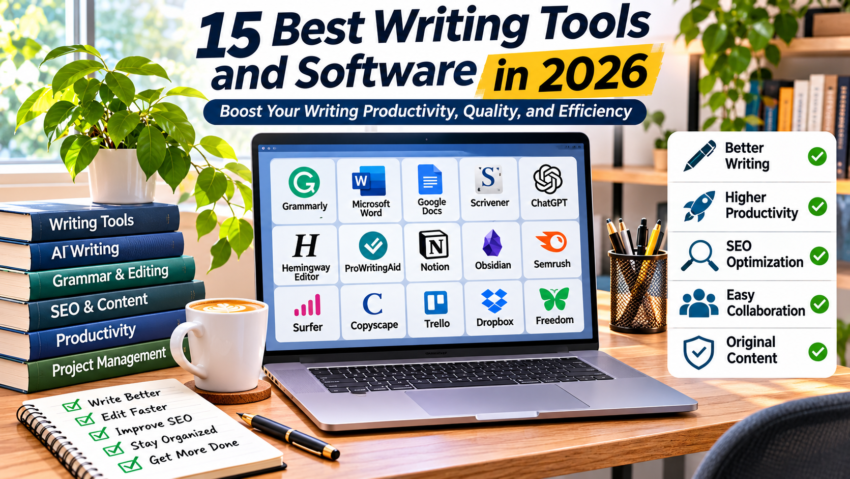
Writing has become an essential professional skill in today’s digital world. Whether you are a freelance writer, blogger, author, student, or business professional, producing clear and engaging content requires creativity, organization, research, and attention to detail.
Fortunately, modern writing tools and software can simplify many aspects of the writing process.
From artificial intelligence writing assistants to advanced grammar checkers, cloud-based document management platforms, and professional editing software, writers have access to numerous tools that can improve their workflow.
However, choosing the right writing software can be challenging. With so many free and premium applications available, it is important to understand which tools provide genuine value.
This comprehensive guide explores 15 of the best writing tools and software options to consider in 2026, their practical benefits, and how they can help you become a more productive and confident writer.
Why Professional Writing Tools Are Important
Professional writing involves much more than typing words into a document.
Writers must conduct research, organize information, develop original ideas, maintain accuracy, meet deadlines, and communicate effectively with their audiences.
Writing software can help simplify these responsibilities by supporting document organization, grammar checking, content planning, collaboration, and editing.
For freelance writers and business owners, productivity software may also help reduce administrative workloads and improve project management.
The right combination of writing tools can provide several benefits:
- Improved grammar and readability.
- Better content organization.
- More efficient research and editing.
- Reduced digital distractions.
- Easier collaboration with clients.
- Secure document storage.
- Improved time management.
- More consistent writing habits.
However, software should support your creativity rather than replace your independent thinking.
15 Best Writing Tools and Software for Professional Writers
The following applications serve different purposes. Some focus on document creation, while others support artificial intelligence, research, editing, and content marketing.
1. Grammarly – Best for Grammar and Writing Assistance
Grammarly is a widely used writing assistant designed to help individuals improve written communication.
It can identify potential grammatical mistakes, spelling errors, punctuation issues, and awkward sentence structures.
Professional writers can use Grammarly when creating blog posts, business emails, marketing materials, reports, and other documents.
Depending on the subscription, additional features may include tone suggestions, vocabulary recommendations, and AI-powered writing assistance.
Key Benefits of Grammarly
- Grammar and spelling suggestions.
- Sentence clarity improvements.
- Writing tone recommendations.
- Browser and application integrations.
- AI-powered writing assistance.
- Additional editing features on eligible paid plans.
Grammarly can be particularly useful for freelance writers who regularly submit professional content to clients.
However, automated suggestions are not always appropriate for every writing style. Writers should review recommendations carefully before accepting them.
Best for: Freelancers, bloggers, students, and business professionals.
Official website: grammarly.com
2. Microsoft Word – Best for Professional Document Creation
Microsoft Word remains a popular word processing application for professional writers, businesses, and educational institutions.
It provides extensive formatting options, document templates, editing features, and collaboration capabilities.
Writers can create manuscripts, business proposals, articles, reports, and professional documents within a familiar environment.
Microsoft 365 subscriptions may also provide access to cloud storage, collaboration tools, and additional productivity applications, depending on the selected plan.
Key Benefits of Microsoft Word
Microsoft Word supports advanced document formatting, comments, tracked changes, spelling assistance, document templates, and integration with other Microsoft applications.
Its compatibility with commonly used document formats makes it particularly useful for freelance writers who work with multiple clients.
For authors preparing manuscripts or professionals creating detailed reports, Microsoft Word provides a flexible writing environment.
Best for: Professional writers, authors, businesses, and academic users.
Official website: microsoft.com
3. Google Docs – Best for Online Collaboration
Google Docs is a cloud-based writing platform that allows users to create, edit, and share documents online.
One of its most valuable features is real-time collaboration.
Multiple users can work on the same document, leave comments, suggest revisions, and review changes without repeatedly exchanging document attachments.
This makes Google Docs particularly useful for remote teams, freelance writers, editors, and digital marketing agencies.
Documents can be stored through Google Drive and accessed from compatible devices.
Google Docs offers many essential writing features without requiring an individual paid software subscription, although businesses may choose premium Google Workspace plans.
Best for: Freelance writers, remote teams, bloggers, and collaborative projects.
Official website: docs.google.com
4. Scrivener – Best for Authors and Long-Form Writing
Writing a book or managing a large manuscript can become difficult when every chapter exists in a separate document.
Scrivener addresses this challenge by providing a structured environment for long-form writing projects.
Authors can organize chapters, research materials, character descriptions, notes, and manuscript sections within a single project.
The software is particularly useful for novelists, nonfiction authors, screenwriters, and researchers.
Instead of scrolling through hundreds of pages, writers can navigate individual sections and rearrange their content as needed.
Scrivener may require some time to learn, especially for individuals accustomed to traditional word processors.
However, its organizational features can provide substantial value for complex writing projects.
Best for: Novelists, nonfiction authors, researchers, and screenwriters.
Official website: literatureandlatte.com
5. ChatGPT – Best for Brainstorming and AI Writing Assistance
Artificial intelligence has introduced new opportunities for writers to improve productivity and explore creative ideas.
ChatGPT can assist with brainstorming article topics, developing outlines, exploring alternative headlines, simplifying complex explanations, and reviewing drafts.
Freelance writers may also use AI writing assistants to organize research questions, prepare interview questions, or develop content marketing strategies.
However, responsible use of AI writing software is essential.
AI-generated information may contain inaccuracies, unsupported claims, or outdated details. Writers should independently verify important facts and maintain editorial control over their work.
Confidential client information should not be entered into AI platforms without appropriate authorization and consideration of data privacy requirements.
AI tools are most valuable when combined with human creativity, subject knowledge, and professional judgment.
Best for: Brainstorming, content planning, editing assistance, and creative development.
Official website: chatgpt.com
6. Hemingway Editor – Best for Improving Readability
Clear writing is essential for communicating effectively with readers.
Hemingway Editor helps writers identify complicated sentences, excessive wordiness, and potential readability issues.
The application encourages straightforward language and more concise sentence structures.
Bloggers, copywriters, and business professionals may find it useful when preparing content for general audiences.
For example, a complicated technical explanation may become easier to understand after reviewing sentence length and unnecessary terminology.
However, readability scores should not be treated as absolute measures of writing quality.
Academic writing, technical documentation, and creative literature may naturally require more complex language.
Use readability software as a guide while maintaining the appropriate tone for your audience.
Best for: Bloggers, copywriters, editors, and business communication.
Official website: hemingwayapp.com
7. ProWritingAid – Best for Detailed Writing Analysis
ProWritingAid is a writing and editing application that provides feedback on grammar, style, sentence structure, and other writing patterns.
It can help writers identify repetitive language, inconsistent phrasing, and potential weaknesses in their drafts.
Authors working on longer manuscripts may find detailed writing reports particularly useful.
The software can also support professional development by helping users recognize recurring writing mistakes.
Rather than simply correcting individual errors, writers can study the feedback and improve their long-term communication skills.
As with other automated editing software, recommendations should be evaluated according to the intended audience and writing style.
Best for: Authors, creative writers, editors, and long-form content creators.
Official website: prowritingaid.com
8. Notion – Best for Content Planning and Organization
Managing multiple writing projects requires an effective organizational system.
Notion provides a flexible workspace for managing editorial calendars, research notes, article outlines, client information, and project deadlines.
Bloggers can use Notion to track content ideas, keyword research, publishing schedules, and article updates.
Freelance writers can organize assignments according to clients, deadlines, project status, and payment information.
Notion also supports databases, customizable templates, and collaboration features.
Its flexibility makes it useful for individuals who want to create a personalized productivity system.
However, spending excessive time designing complicated organizational systems can become counterproductive.
Start with a simple workspace and introduce additional features only when they provide practical benefits.
Best for: Content planning, project organization, and editorial management.
Official website: notion.com
9. Obsidian – Best for Research and Knowledge Management
Professional writers often collect large amounts of information from books, articles, interviews, and personal observations.
Obsidian provides a note-taking environment that allows users to connect related ideas and develop a personal knowledge base.
Instead of storing information in isolated documents, writers can create connections between different notes.
This approach may help identify relationships between concepts and generate new writing ideas.
Obsidian can be particularly useful for researchers, nonfiction authors, journalists, and individuals working on knowledge-intensive projects.
Its local file-based approach may also appeal to users who want greater control over their notes.
Optional synchronization and publishing services may involve additional costs.
Best for: Research, knowledge management, and idea development.
Official website: obsidian.md
10. Semrush – Best for SEO Content Research
Search engine optimization is an important skill for bloggers, website owners, and digital marketing professionals.
Semrush provides tools for keyword research, competitor analysis, website audits, and content marketing.
Writers can use SEO research software to understand the questions people search for and identify potential content opportunities.
Keyword research may also help writers organize article topics according to search intent and audience interests.
However, premium SEO software can represent a significant business expense.
Beginners may prefer free keyword research resources before investing in advanced subscriptions.
Remember that keyword research alone does not guarantee search engine rankings.
Useful information, originality, website quality, and technical performance remain important.
Best for: SEO writers, bloggers, marketing agencies, and website owners.
Official website: semrush.com
11. Surfer – Best for SEO Content Optimization
Surfer is a content optimization platform designed to support SEO-focused writing.
It provides recommendations based on factors found in competing search results, including content structure, relevant terminology, and topic coverage.
Content writers may use these recommendations to identify subjects that deserve additional explanation.
However, content optimization scores should not become the primary objective of writing.
Forcing unnecessary keywords into an article or increasing its length without providing additional value can negatively affect readability.
Use SEO content optimization software to identify potential information gaps while prioritizing the needs of real readers.
For agencies and professional content teams, such tools may help establish a more consistent editorial workflow.
Best for: SEO content writers, content marketing teams, and digital agencies.
Official website: surferseo.com
12. Copyscape – Best for Checking Content Similarity
Originality is essential for maintaining a trustworthy professional reputation.
Copyscape helps users identify potentially duplicated content available online.
Website owners, editors, and freelance writers can use content similarity detection software as part of their editorial review process.
This may be particularly useful when managing contributions from multiple authors or reviewing commercially produced articles.
However, a similarity report does not automatically establish plagiarism.
Common expressions, properly attributed quotations, and standard terminology may appear in multiple publications.
Similarly, passing a plagiarism checker does not guarantee that an article is original or valuable.
Writers should develop their own explanations, cite appropriate sources, and respect intellectual property rights.
Best for: Website publishers, editors, freelance writers, and content agencies.
Official website: copyscape.com
13. Trello – Best for Managing Writing Projects
Trello is a visual project management application that allows users to organize responsibilities using boards, lists, and cards.
Writers can create a content workflow that includes topic ideas, research, drafting, editing, client review, and publication.
Moving assignments between different stages provides a clear overview of project progress.
Freelance writers can also use Trello to manage multiple clients and upcoming deadlines.
Small content teams may benefit from assigning responsibilities and sharing project updates within a centralized workspace.
A straightforward project management system can reduce the likelihood of missed deadlines and forgotten assignments.
Best for: Freelancers, editorial teams, and project management.
Official website: trello.com
14. Dropbox – Best for Cloud Document Storage
Professional writers need reliable access to their documents, research materials, and client files.
Dropbox provides cloud-based file storage and synchronization across compatible devices.
Writers can organize project folders, share documents with clients, and access files while working remotely.
Depending on the selected subscription, additional features may include file recovery, sharing controls, and collaboration options.
However, cloud synchronization should not replace a comprehensive backup strategy.
Important manuscripts and business documents should also have separate backups.
Writers handling confidential client materials should review file-sharing permissions, security settings, and applicable contractual requirements.
Best for: Document storage, remote work, and client file sharing.
Official website: dropbox.com
15. Freedom – Best for Distraction-Free Writing
One of the biggest challenges facing modern writers is maintaining concentration.
Social media, entertainment websites, and frequent notifications can interrupt productive writing sessions.
Freedom is a distraction-blocking application designed to help users restrict access to selected websites and applications during focused work periods.
Writers can schedule distraction-free sessions for research, drafting, editing, or creative development.
Although productivity software cannot eliminate every distraction, it can help create an environment that encourages sustained attention.
Combining digital distraction blockers with consistent writing routines and regular breaks may improve overall productivity.
Best for: Writers struggling with procrastination and digital distractions.
Official website: freedom.to
Best Writing Software Comparison Table
| Writing Tool | Primary Purpose | Pricing Model |
|---|---|---|
| Grammarly | Grammar and editing | Free and paid |
| Microsoft Word | Document creation | Paid options and limited free web access |
| Google Docs | Online collaboration | Free and paid business plans |
| Scrivener | Book and manuscript writing | Paid license |
| ChatGPT | AI writing assistance | Free and paid |
| Hemingway Editor | Readability improvement | Free and paid options |
| ProWritingAid | Detailed editing | Free and paid |
| Notion | Content organization | Free and paid |
| Obsidian | Research and note-taking | Free core application and paid services |
| Semrush | SEO research | Limited free and paid options |
| Surfer | Content optimization | Paid plans |
| Copyscape | Content similarity checking | Free and paid services |
| Trello | Project management | Free and paid |
| Dropbox | Cloud storage | Free and paid |
| Freedom | Distraction blocking | Paid options |
Software features, subscription prices, and plan availability can change. Review the official websites before purchasing a subscription.
How Much Should You Spend on Writing Software?
Professional writing software can improve productivity, but purchasing too many subscriptions can create unnecessary business expenses.
The appropriate software budget depends on your professional requirements, workload, and income.
The following figures represent illustrative monthly budget allocations rather than current subscription prices.
| Software Category | Suggested Monthly Budget |
|---|---|
| Writing and document software | $0–$20 |
| Grammar and editing tools | $0–$30 |
| AI writing assistants | $0–$50 |
| Project management software | $0–$25 |
| Cloud storage services | $0–$20 |
| SEO research software | $0–$150 |
| Content optimization software | $0–$100 |
| Total potential budget | $0–$395 |
Most beginners can start with free applications and upgrade gradually.
Professional writers should evaluate whether a paid subscription saves enough time, improves content quality, or generates sufficient business value to justify its cost.
Free vs. Premium Writing Software
Free writing tools can provide excellent functionality for individuals beginning their writing careers.
Applications such as Google Docs, Notion, and basic grammar checkers can support many everyday writing tasks.
Premium writing software may become valuable when you require advanced editing reports, additional storage, specialized SEO research, business collaboration, or increased AI usage limits.
| Feature | Free Software | Premium Software |
|---|---|---|
| Basic document creation | Usually available | Available |
| Grammar checking | Basic features | Advanced features may be available |
| AI writing assistance | Often limited | Higher limits or additional features |
| Cloud storage | Limited capacity | Additional storage options |
| SEO research | Limited data | More extensive research capabilities |
| Customer support | May be limited | Additional support options |
| Team collaboration | Basic functionality | Advanced management features |
The best software is not necessarily the most expensive option. It is the application that solves your specific writing challenges.
How to Choose the Best Writing Software
Before purchasing professional writing tools, consider your primary objectives.
A novelist may benefit more from manuscript organization software than an expensive SEO platform.
A freelance content writer may prioritize grammar checking, cloud storage, and project management.
A website publisher may find keyword research and content optimization software more valuable.
Evaluate the software’s ease of use, compatibility, security features, subscription costs, customer support, and integration with existing applications.
Where available, use free trials to test software with real writing projects before making a long-term financial commitment.
Avoid purchasing multiple applications that perform essentially the same function.
A Productive Writing Workflow Using Modern Software
A well-organized writing workflow can combine several tools without creating unnecessary complexity.
| Writing Stage | Recommended Tool |
|---|---|
| Brainstorming | ChatGPT |
| Topic research | Semrush |
| Research organization | Obsidian |
| Content planning | Notion |
| First draft | Google Docs or Microsoft Word |
| Grammar review | Grammarly |
| Readability review | Hemingway Editor |
| SEO optimization | Surfer |
| Content similarity checking | Copyscape |
| Project tracking | Trello |
| Document storage | Dropbox |
You do not need to use every application in this workflow. Select the tools that match your professional requirements.
For example, a beginner could manage an entire writing project using Google Docs, a free grammar checker, and a simple content calendar.
Can Writing Software Help You Earn More Money?
Professional writing software may help freelancers and content creators improve efficiency, manage additional projects, and deliver higher-quality work.
For example, if an editing application saves two hours every week, a freelance writer may have additional time for client outreach, professional development, or paid assignments.
SEO research tools may help bloggers identify relevant content opportunities, while project management software can help prevent missed deadlines.
However, purchasing software does not guarantee increased earnings.
Professional income depends on writing ability, client demand, content quality, pricing strategies, and effective business management.
Treat writing software as a business investment and regularly evaluate its practical return.
Frequently Asked Questions
What is the best writing software for beginners?
Google Docs is a practical starting point because it provides essential document creation, editing, and collaboration features. Beginners can combine it with a free grammar checker and basic organizational tools.
What is the best AI writing tool for professional writers?
ChatGPT and other AI writing assistants can support brainstorming, outlining, and editing. The best option depends on your workflow, privacy requirements, and professional responsibilities.
Is Grammarly worth paying for?
A paid Grammarly subscription may be worthwhile for writers who regularly need advanced editing and communication assistance. Occasional writers may find the free features sufficient.
What software do professional authors use?
Professional authors use various applications, including Microsoft Word, Scrivener, Google Docs, and ProWritingAid, depending on their writing and editing requirements.
What is the best SEO writing software?
Semrush and Surfer are useful options for keyword research and content optimization. However, writers should prioritize accurate, helpful content rather than relying entirely on automated recommendations.
Can AI writing software replace human writers?
AI software can assist with many writing-related tasks, but human expertise, original perspectives, factual verification, creativity, and editorial judgment remain important.
Are paid writing tools necessary for freelance writers?
No. Many freelancers can begin with free software. Premium applications become more valuable when they address specific professional requirements or provide measurable productivity benefits.
How can I protect my writing documents?
Use strong passwords, multifactor authentication, appropriate file-sharing permissions, secure cloud storage, and separate backups of important documents.
Final Thoughts
Choosing the best writing tools and software can help you develop a more organized, efficient, and sustainable writing routine.
Whether you are creating blog posts, managing freelance assignments, writing a book, or developing business content, the right technology can simplify your workflow.
Start with essential writing and editing applications. As your professional responsibilities increase, consider investing in specialized research software, AI writing assistants, project management tools, and secure document storage.
Avoid unnecessary subscriptions and focus on applications that provide measurable benefits.
Most importantly, remember that technology is a supporting resource. Your creativity, knowledge, original ideas, and ability to communicate effectively remain the foundation of successful writing.
Rank Math SEO Details
| SEO Element | Recommended Content |
|---|---|
| SEO Title | 15 Best Writing Tools and Software in 2026 |
| Focus Keyword | Best Writing Tools and Software |
| URL Slug | best-writing-tools-and-software |
| Meta Description | Discover 15 best writing tools and software in 2026, including AI writing assistants, grammar checkers, SEO tools, and productivity software. |
| Category | Writing Tools & Productivity |
| Target Audience | USA, UK, Canada, Australia |
| Search Intent | Informational & Commercial |
High CPM and RPM Potential Keywords Used
| Keyword | Advertising Industry |
|---|---|
| AI writing software | Artificial intelligence |
| Professional writing software | SaaS |
| Premium grammar checker | Education technology |
| Plagiarism detection software | Academic software |
| SEO content optimization software | Digital marketing |
| Keyword research software | Marketing technology |
| Project management software | Business SaaS |
| Cloud storage services | Cloud computing |
| Document management software | Enterprise technology |
| Microsoft 365 subscription | Business software |
| AI writing assistants | Artificial intelligence |
| Content marketing software | Digital marketing |
| Data backup solutions | Cybersecurity |
| Productivity software | Business technology |
| Premium software subscriptions | SaaS |